

python main
文章出自个人博客https://applelin8.github.io/2020/12/2/python-main,转载请申明
content
main
Calculate the area of a circle
#const.py
PI = 3.14

def main():
    print("PI:", PI)

if __name__ == "__main__":
    main()
#area.py
from const import PI

def calc_circle_area(radius):
    return PI * (radius ** 2)

def main():
    print("circle area: ", calc_circle_area(2))

main()
read
# File: read.py

import sys
import re

def read_cmd(file, type):
    with open(file) as file:
        i=0
        for line in file:
            if line.find(type) != -1 and line.find(',') != -1:
                i+=1
                #print(line,end='')
                print(re.split(r'=| |,', line.strip())[0])
        print('cmd count is %d'%(i))


if __name__ == '__main__':
    file=sys.argv[1]
    type=sys.argv[2]

    print(file, type)
    read_cmd(file, type)
numpy
安装
python -m pip install numpy scipy matplotlib -i https://pypi.tuna.tsinghua.edu.cn/simple

python -m pip install pandas seaborn -i https://pypi.tuna.tsinghua.edu.cn/simple
画直方图v1
import sys
import numpy as np
import pandas as pd
import matplotlib.pyplot as plt
import seaborn as sns

sns.set()                                   #设置seaborn默认格式
np.random.seed(0)                           #设置随机种子数

from matplotlib.font_manager import FontProperties   #显示中文,并指定字体
myfont=FontProperties(fname=r'C:/Windows/Fonts/simhei.ttf',size=14)
sns.set(font=myfont.get_name())
plt.rcParams['axes.unicode_minus']=False      #显示负号

def draw(a, title="n"):
    #print(a);
    plt.rcParams['figure.figsize'] = (17, 8)    #设定图片大小
    f = plt.figure()                            #确定画布

    f.add_subplot(1,2,1)
    sns.distplot(a, kde=False)                 #绘制频数直方图
    #sns.distplot(a, kde=True,hist=True)                 #绘制频数直方图
    plt.ylabel("频数", fontsize=16)
    plt.xticks(fontsize=16)                    #设置x轴刻度值的字体大小
    plt.yticks(fontsize=16)                   #设置y轴刻度值的字体大小
    plt.title("("+ title + "个32位随机数分布图)", fontsize=20)             #设置子图标题

    f.add_subplot(1,2,2)
    sns.distplot(a)                           #绘制密度直方图
    plt.ylabel("密度", fontsize=16)
    plt.xticks(fontsize=16)                  #设置x轴刻度值的字体大小
    plt.yticks(fontsize=16)                  #设置y轴刻度值的字体大小

    plt.subplots_adjust(wspace=0.3)         #调整两幅子图的间距
    plt.show()

def draw_1000_number():
    a = np.random.randn(1000)
    print(type(a))
    draw(a)

def draw_demo():
    #x = (1, 2 ,3 , 3, 4, 5 ,1)
    #x = (1, 2 ,3 , 3, 4, 5 ,1, 1, 1, 1, 1)
    #x = list(range(1,10))
    x = []
    for i in range(1,11):
        x.append(1)

    for i in range(1,6):
        x.append(10)

    a = np.asarray(x)
    print("a is : ",a);
    draw(a)

def draw_data(file):
    a = np.asarray([])
    count = 0
    with open(file) as file:
        for line in file:
            count += 1
            a = np.append(a,eval(line.strip()))

    print("number count=", count)
    #print(a)
    draw(a, str(count))

if __name__ == '__main__':
    draw_data(sys.argv[1])
画直方图v2
import sys
import numpy as np
import pandas as pd
import matplotlib.pyplot as plt
import seaborn as sns
from datetime import datetime

sns.set()                                   #设置seaborn默认格式
np.random.seed(0)                           #设置随机种子数

from matplotlib.font_manager import FontProperties   #显示中文,并指定字体
myfont=FontProperties(fname=r'C:/Windows/Fonts/simhei.ttf',size=14)
sns.set(font=myfont.get_name())
plt.rcParams['axes.unicode_minus']=False      #显示负号

oldtime=datetime.now()

def draw(a, title="n"):
    plt.rcParams['figure.figsize'] = (17, 8)    #设定图片大小
    f = plt.figure()                            #确定画布

    f.add_subplot(1,2,1)
    sns.distplot(a, kde=False)                 #绘制频数直方图
    #sns.distplot(a, kde=True,hist=True)                 #绘制频数直方图
    plt.ylabel("频数", fontsize=16)
    plt.xticks(fontsize=16)                    #设置x轴刻度值的字体大小
    plt.yticks(fontsize=16)                   #设置y轴刻度值的字体大小
    plt.title("("+ title + "个32位随机数分布图)", fontsize=20)             #设置子图标题

    f.add_subplot(1,2,2)
    sns.distplot(a)                           #绘制密度直方图
    plt.ylabel("密度", fontsize=16)
    plt.xticks(fontsize=16)                  #设置x轴刻度值的字体大小
    plt.yticks(fontsize=16)                  #设置y轴刻度值的字体大小

    plt.subplots_adjust(wspace=0.3)         #调整两幅子图的间距
    plt.show()

def delta_minute(startTime, endTime):
    total_seconds = (endTime - startTime).total_seconds()
    mins = total_seconds / 60
    return int(mins)

def get_diff_str(diff, str1):
    s = ''
    if diff != 0:
        s += str(diff) + str1

    return s

def show_delta(newtime):
    global oldtime
    s = '用时:'

    s += get_diff_str(delta_minute(oldtime, newtime), ' 分钟 ')
    s += get_diff_str((newtime-oldtime).seconds, ' 秒 ')
    s += get_diff_str((newtime-oldtime).microseconds / 1000, ' 毫秒 ')

    oldtime = newtime

    print(s)

def show_array_info(a):
    print(a)
    print("数据类型",type(a))           #打印数组数据类型
    print("数组元素数据类型:",a.dtype) #打印数组元素数据类型
    print("数组元素总数:",a.size)      #打印数组尺寸,即数组元素总数
    print("数组形状:",a.shape)         #打印数组形状
    print("数组的维度数目",a.ndim)      #打印数组的维度数目

def iter_loadtxt(filename, delimiter=',', skiprows=0, dtype=float, len1=10000000):
    def iter_func():
        count=0
        with open(filename, 'r') as infile:
            for _ in range(skiprows):
                next(infile)
            for line in infile:
                line = line.rstrip().split(delimiter)
                for item in line:
                    yield dtype(eval(item))
                count += 1
                if count >= len1:
                    break

        iter_loadtxt.rowlength = len(line)

    data = np.fromiter(iter_func(), dtype=dtype)
    data = data.reshape((-1, iter_loadtxt.rowlength))
    return data

def draw_data1(file):
    a = np.loadtxt(file)
    draw(a, str(a.size))

def draw_data2(file):
    global oldtime

    print('-----------1 loadtxt --------------')
    oldtime=datetime.now()
    a = np.loadtxt(file)
    show_delta(datetime.now())

    print('-----------2 show array --------------')
    show_array_info(a)
    show_delta(datetime.now())

    print('-----------3 draw --------------')
    draw(a, str(a.size))
    show_delta(datetime.now())

def draw_data3(file):
    a = iter_loadtxt(file, '\n')
    draw(a, str(a.size))

def max_min_data(file):
    max = '0'
    min = '0xFFFFFFFF'
    count = 0
    with open(file, 'r') as f:
        for line in f:
            count += 1
            s = line.strip()
            x = eval(s)
            if x > eval(max):
                max = s
            if x < eval(min):
                min = s

            if count > 10000000:
                break

        print("max  : ", max)
        print("min  : ", min)
        print("count:", count)

if __name__ == '__main__':
    draw_data2(sys.argv[1])
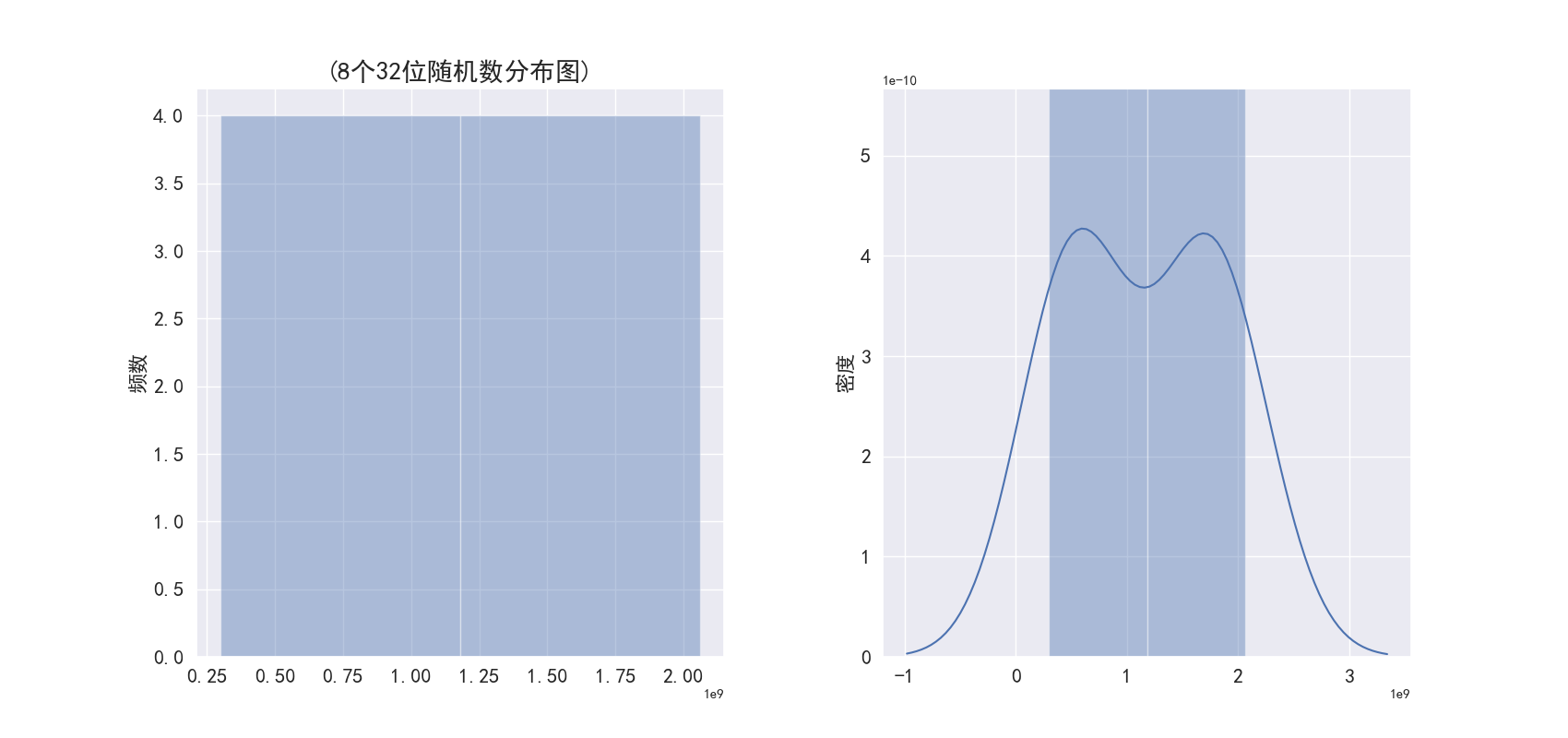
结果
-----------1 loadtxt --------------
用时:0.999 毫秒
-----------2 show array --------------
[1.81397318e+09 4.51097333e+08 7.47925723e+08 1.57521411e+09
 6.28680555e+08 2.98246167e+08 1.64331751e+09 2.06213070e+09]
数据类型 <class 'numpy.ndarray'>
数组元素数据类型: float64
数组元素总数: 8
数组形状: (8,)
数组的维度数目 1
用时:0.97 毫秒
-----------3 draw --------------
用时:4 秒 549.668 毫秒
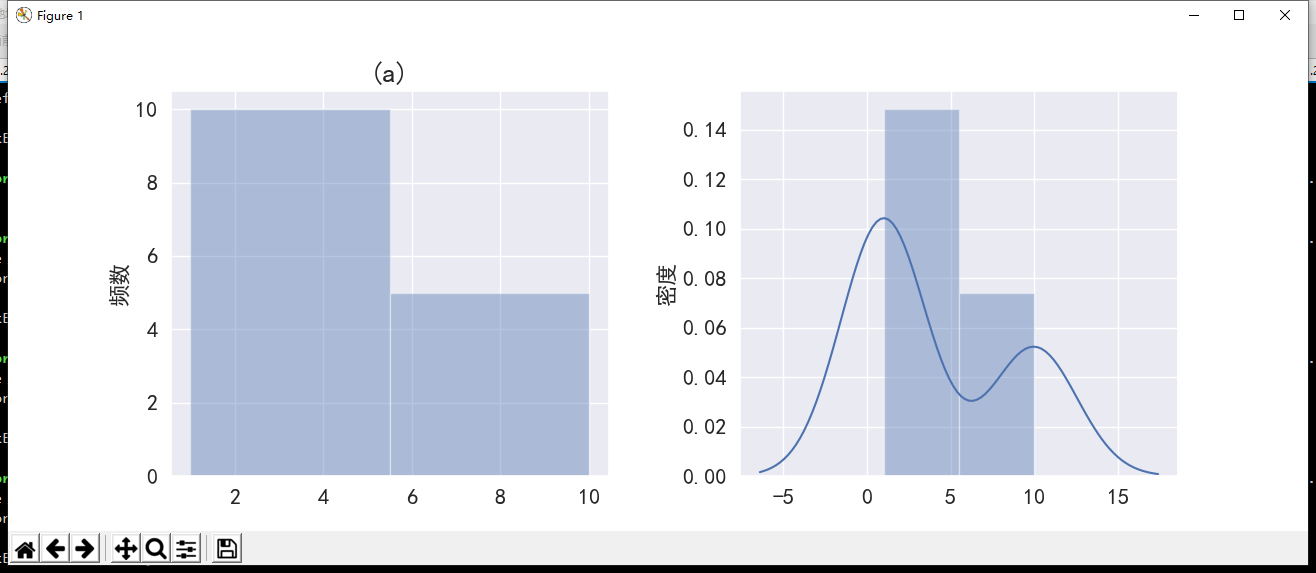
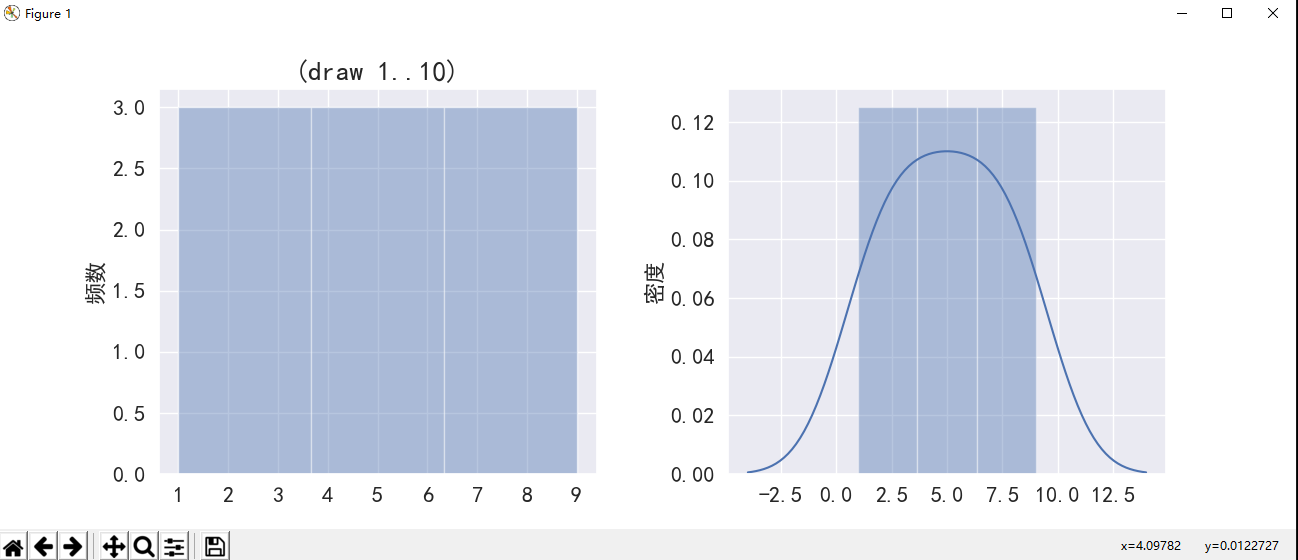
说明: 这里有list a=[1,1,1, …1, 10, 10,…,10],list a有10个1和5个10,画了两幅直方图。其中左图是频数图,即纵坐标是频数,表示落在相应区间的样本数;右图是频率图,即纵坐标是概率,表示落在某区间的概率。
评论:
技术文章推送
手机、电脑实用软件分享

 微信公众号:farmer in city