

vscode remote
文章出自个人博客https://applelin8.github.io/2020/12/10/vscode-remote,转载请申明
content
how to use vscode
how to use vscode
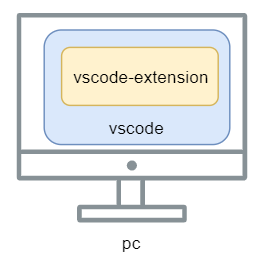
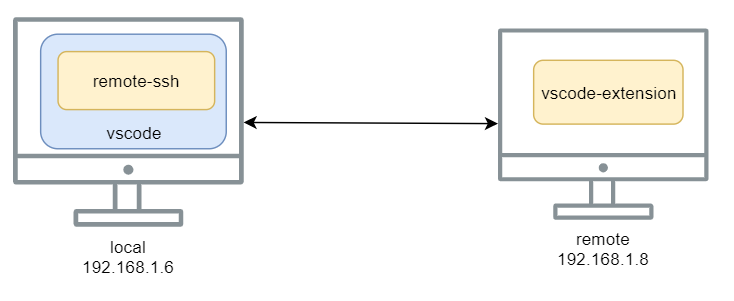
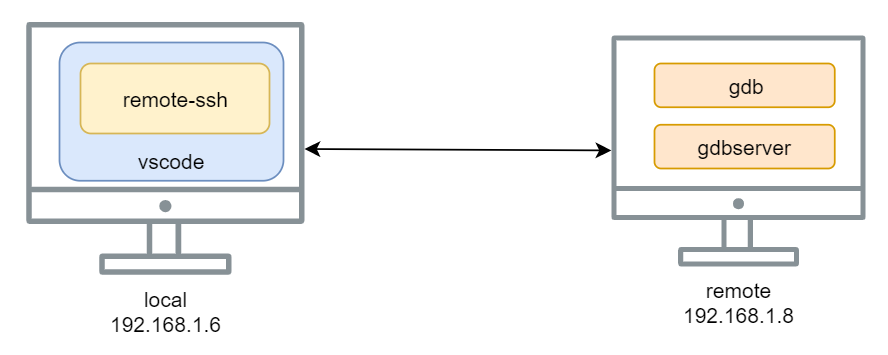
remote-ssh
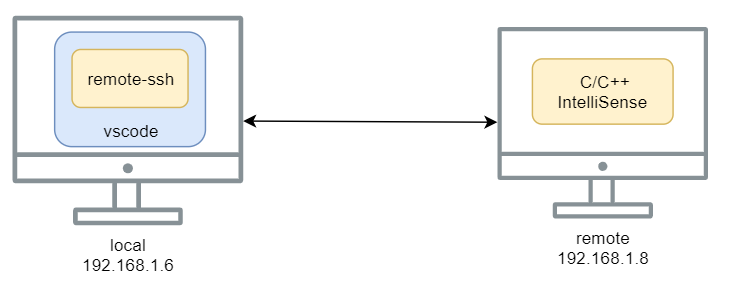
C/C++ IntelliSense, debugging, and code browsing.
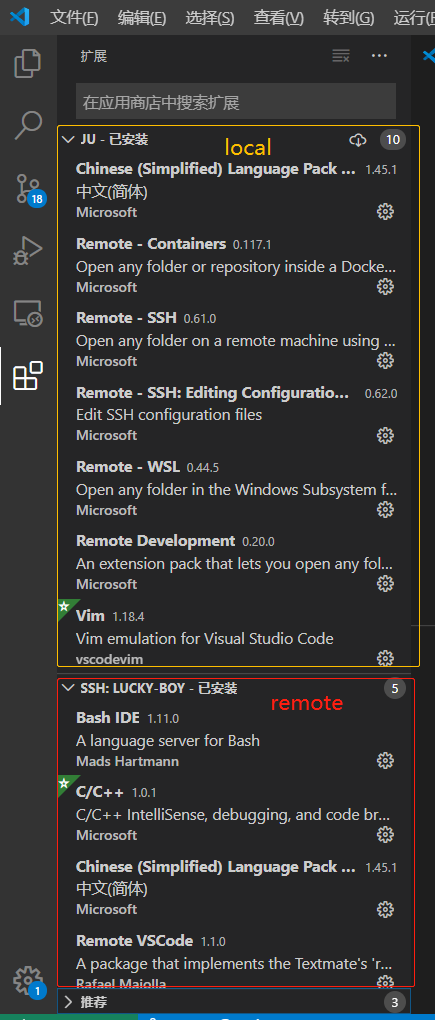
extension
gdb
${workspace}/.vscode/launch.json
{
    "version": "0.2.0",
    "configurations": [
        {
            "name": "gcc - 生成和调试活动文件",
            "type": "cppdbg",
            "request": "launch",
            "program": "${fileDirname}/${fileBasenameNoExtension}",
            "args": [ "ls"],
            "stopAtEntry": false,
            "cwd": "${workspaceFolder}",
            "environment": [],
            "externalConsole": false,
            "MIMode": "gdb",
            "setupCommands": [
                {
                    "description": "为 gdb 启用整齐打印",
                    "text": "-enable-pretty-printing",
                    "ignoreFailures": true
                }
            ],
            "preLaunchTask": "C/C++: gcc build active file",
            "miDebuggerPath": "/usr/bin/gdb"
        }
    ]
}
${workspace}/.vscode/tasks.json
{
    "tasks": [
        {
            "type": "shell",
            "label": "C/C++: gcc build active file",
            "command": "/usr/bin/gcc",
            "args": [
                "-g",
                "${file}",
                "-o",
                "${fileDirname}/${fileBasenameNoExtension}"
            ],
            "options": {
                "cwd": "${workspaceFolder}"
            },
            "problemMatcher": [
                "$gcc"
            ],
            "group": {
                "kind": "build",
                "isDefault": true
            }
        }
    ],
    "version": "2.0.0"
}
shell
评论:
技术文章推送
手机、电脑实用软件分享

 微信公众号:farmer in city